Leadpages Review: The Honest Guide to Landing Page Success in 2025
Leadpages Review: The Honest Guide to Landing Page Success in 2025
Disclosure: Some of the links on this website are affiliate links, which means that if you click on a link and make a purchase, I may earn a commission at no additional cost to you. I only recommend products and services that I have personally used and believe will add value to my readers. Thank you for supporting my business in this way.
Finding the right landing page builder is crucial. In fact, it can make or break your online business. This in-depth Leadpages Review will, therefore, help you decide. Is Leadpages the best choice for solopreneurs, coaches, and entrepreneurs launching new offers? With so many tools available, it’s easy to feel overwhelmed.
For this reason, this Leadpages Review covers every essential feature. From setup to customer support, you'll get real-world advice to help you make a confident decision. Whether you are just starting out or scaling your business, you need a platform that is easy to use. Furthermore, it must be powerful enough to grow with you. Lastly, it should be priced fairly. So, let’s explore if Leadpages is truly the tool that can help you attract leads, convert visitors, and build a thriving online business.
Ease of Use and Setup: A Beginner's Best Friend 🛠️
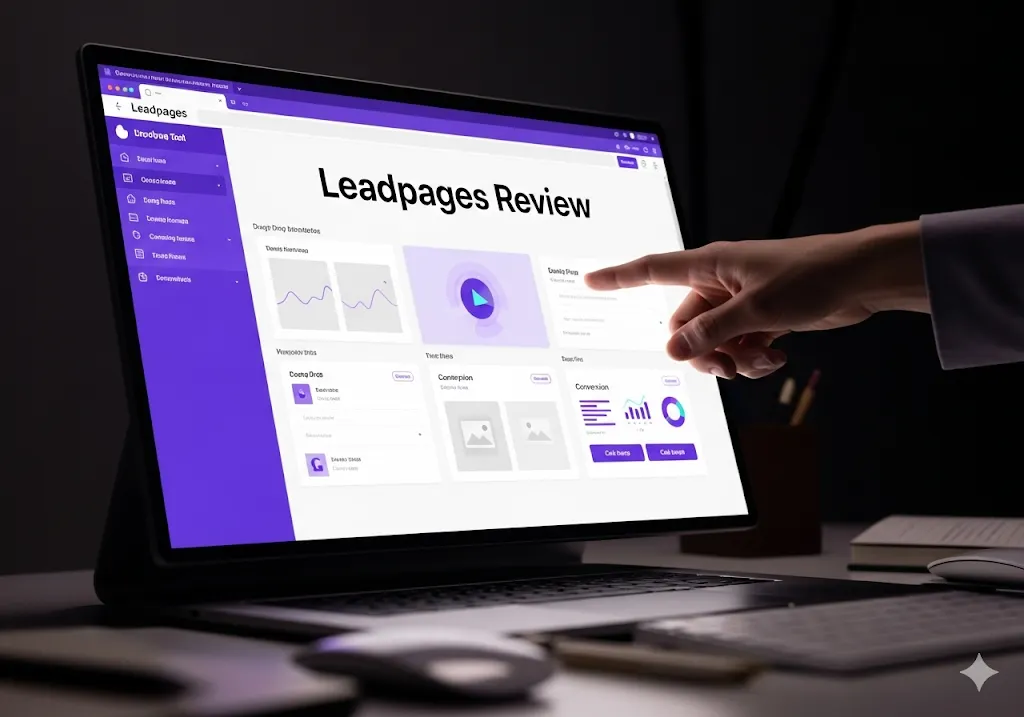
One of the first things you'll notice in any Leadpages Review is how quickly you can get started. Leadpages makes the process simple right from the beginning. After you sign up, you're greeted with a clean, user-friendly dashboard. This immediate clarity helps you focus on your business goals, not on learning complex software.
Creating your first landing page is a straightforward process. For example, the drag-and-drop editor is intuitive. You can add sections, change layouts, and insert images or text with just a few clicks. The best part, however, is that you don't have to write a single line of code. Consequently, the entire process feels empowering. What’s more, every change you make updates in real time. Therefore, you always know exactly what your visitors will see.
Launching Your First Page with Ease
If you need to build a page quickly, simply choose from the vast template library. For example, if you are running a webinar, there are ready-made webinar registration templates. Do you need a page for a new eBook? Then, choose a lead magnet template and customize it with your brand colors and logo.
Additionally, helpful tooltips and on-screen guides appear as you work. These hints, as a result, reduce confusion and help you move forward with confidence. If you ever feel stuck, the help center is always just a click away. Publishing your page is equally simple. You can use a free Leadpages domain. Alternatively, you can connect your own custom domain in minutes.
Because of its intuitive design, this Leadpages Review finds the setup process fast and beginner-friendly. Even if you have never built a landing page before, you can launch a polished campaign without fear or frustration. The platform’s ease of use, as a matter of fact, is one of its biggest selling points. We continue our Leadpages Review by looking at templates.
Templates and Customization: Designed for Conversion 🎨
A standout feature of any Leadpages Review is the platform’s extensive template library. Leadpages provides over 200 conversion-focused templates. Each is crafted to help you achieve specific goals. Whether you want to build a sales page, an opt-in form, or a "coming soon" page, you will find a template that fits your needs.
All templates are fully mobile-responsive. This means, above all, that your pages look great on smartphones and tablets. This is vital because most internet traffic now comes from mobile devices. You can filter templates by industry, campaign type, or even conversion goal. As a result, this saves valuable time. It also ensures your page is optimized from the very beginning.
Customizing templates is both flexible and easy. To illustrate, the drag-and-drop editor lets you place elements exactly where you want them. For example, you can add countdown timers to boost urgency. You can also insert video blocks to engage visitors. Of course, you can include opt-in forms to capture leads. Every element is customizable—colors, fonts, images, and even button styles can be tweaked to match your brand.
You don't need any design experience. On the contrary, the intuitive interface means you can experiment freely. You can always undo changes if needed. If you want to build a page from scratch, that option is available too. For entrepreneurs who want to stand out, Leadpages makes it possible to create unique, high-converting landing pages. You can do this without the high cost of hiring a designer. Our Leadpages Review concludes that their templates are a major asset.
Deeper Dive into the Drag-and-Drop Editor 🏗️
The drag-and-drop editor is the heart of Leadpages. It is designed to be powerful yet simple. Unlike some competitors, you don’t get lost in complex menus. You can easily select an element—such as a text box, image, or button—and drag it to the desired spot. The editor uses a section-based structure. As a result, this makes it easy to add, remove, and reorder entire content blocks.
For instance, you might want to add a section for testimonials. You simply click “add section” and choose the pre-built testimonials block. Then, you can customize the text and images. This saves a significant amount of time. You don’t have to build every piece from scratch. Furthermore, the editor includes a revision history feature. This means you can go back to previous versions of your page at any time. This gives you peace of mind while you are experimenting with new designs. This part of our Leadpages Review shows its user-friendliness.
More on the Template Library 📚
The templates are not just visually appealing. They are also based on proven marketing principles. Leadpages’ design team has, indeed, studied what makes pages convert. They have built those best practices into every template. For example, a webinar registration template will have clear call-on-action buttons. It will also have a space for a countdown timer to create urgency. An e-commerce page template, on the other hand, might have a section for customer reviews. This builds social proof.
In addition, Leadpages constantly updates its library. New templates are added regularly. This ensures that your designs always look modern and fresh. This is a significant advantage. You won't be stuck with outdated templates. A comprehensive Leadpages Review must emphasize the value of this library.
Integrations with Marketing Tools: Your Business Hub 🔗
One of the most valuable aspects covered in this Leadpages Review is how well Leadpages connects with other tools you already use. Integrations, in fact, are essential for automating your business. They make your marketing campaigns more effective.
Leadpages works seamlessly with major email marketing services. These include Mailchimp, ConvertKit, ActiveCampaign, and Drip. Setting up these integrations is simple. It often takes just a minute. As you build your landing page, you can connect your opt-in forms directly to your email list. This ensures that every new lead is added to your audience automatically.
What’s more, Leadpages syncs with popular CRM systems, webinar platforms, and payment processors. For example, you can connect with GoToWebinar to register leads for your next online event. Or, in a different scenario, you can use Stripe to accept payments for digital products.
For advanced users, the Zapier integration takes things even further. Zapier unlocks thousands of automation possibilities. It links Leadpages with hundreds of additional apps. Imagine sending a text message or creating a Trello card. You could even add a new customer to your accounting software. All of this, by the way, can happen automatically every time someone opts in on your landing page. This is a powerful feature in this Leadpages Review.
Ultimately, these integrations make Leadpages a powerful hub for your marketing ecosystem. You spend less time on manual tasks. As a result, you can spend more time focusing on your core business.
Expanding on Integrations and Automation 🤖
Let's look at a practical example. A fitness coach wants to sell a new workout plan. First, she creates a sales page in Leadpages. On this page, there is an opt-in form. When someone buys the plan, the Leadpages integration with Stripe processes the payment. Then, the Zapier integration automatically adds the new customer's email to her ActiveCampaign list. Finally, another Zapier automation sends a text message to the customer with a welcome message. This whole process is hands-free. This level of automation is what makes Leadpages a game-changer for solo entrepreneurs. This Leadpages Review shows its power.
Built-in Analytics and A/B Testing: Grow with Data 📈
In this Leadpages Review, analytics and testing get special attention. They are crucial for growth. Knowing what works—and what doesn’t—helps you optimize every campaign.
Leadpages provides clear, easy-to-read analytics for every page you publish. You can track page views, conversion rates, and opt-in numbers. This is all available directly from your dashboard. This data updates in real time. Therefore, you always have an accurate picture of your campaign’s performance.
If you want to improve results, Leadpages offers A/B testing on Pro and Advanced plans. Setting up a split test is straightforward. For instance, you simply duplicate your landing page. Then, you change one element. Maybe it is the headline or the button color. Leadpages will then show both versions to your audience. Soon, you will know which version performs better. As a result, you can use those insights to increase your conversions. This makes a Leadpages Review's a great tool.
In addition, Leadpages offers the Leadmeter tool. This analyzes your page as you build it. Leadmeter gives you instant feedback and suggestions. It can help you improve your design, headline, or call-to-action. This proactive advice helps you create pages that are more likely to succeed from the very beginning.
With these analytics and testing tools, you don’t have to guess what is working. Instead, you can make data-driven decisions that lead to better results and a higher return on investment (ROI). We have to be clear in this Leadpages Review: data is key.
The Power of A/B Testing Explained 🧪
A/B testing, also known as split testing, is a simple yet powerful concept. It is the process of comparing two versions of a webpage to see which one performs better. For example, you might create a landing page with a headline that says, "Get Your Free E-Book." The 'B' version of that page might say, "Download Our Free Guide to Grow Your Business." By running an A/B test, you can see which headline gets more people to sign up. Leadpages makes this process simple. You don't need a degree in statistics to understand the results. The platform, in fact, tells you clearly which version is the winner. This simple practice can dramatically increase your conversion rates over time. This Leadpages Review proves its value.
Customer Support and Community: Never Build Alone 🤝
Reliable support can make a huge difference. This is especially true when you are running your business solo. In this Leadpages Review, customer service stands out as a major strength.
Leadpages offers 24/7 email support on all plans. So, you can get help whenever you need it. If you choose a Pro or Advanced plan, live chat support is also available. Most questions are answered quickly. The team, furthermore, is knowledgeable and friendly.
The help center is full of articles, step-by-step guides, and video tutorials. If you run into a problem, chances are you will find the solution in just a few minutes. For those who prefer learning through community, Leadpages hosts a private Facebook group. There, users share advice, templates, and inspiration. You can connect with other entrepreneurs, ask questions, and celebrate your wins.
Regular webinars, live training sessions, and marketing challenges keep the community active and engaged. These resources give you extra support. They also help you stay motivated as you grow. Thanks to its strong support system and vibrant community, Leadpages makes you feel like you are never building your business alone. This Leadpages Review highlights the support system.
Pricing and Value for Money: Smart Investment 💸
The question of price is always important in a Leadpages Review. Leadpages offers three main pricing plans. Each is designed to fit different business needs and budgets.
- Standard: $49/month (billed annually). This plan includes unlimited landing pages, pop-ups, and alert bars. It's ideal for solopreneurs just starting out.
- Pro: $99/month. This plan offers additional features. These include online sales and payments, unlimited A/B testing, and advanced integrations. It is perfect for growing businesses.
- Advanced: Custom pricing for larger teams and marketing agencies. This plan offers even more advanced features and support.
Each plan allows for unlimited traffic and leads. Unlike some competitors, you won’t hit arbitrary caps that limit your growth. This is a huge benefit for solopreneurs running multiple campaigns or scaling their businesses.
A generous 14-day free trial is available. This lets you test all the features before making a commitment. This flexibility, consequently, is perfect for those who want to see real results before investing.
When you consider the cost of hiring a designer or developer for every campaign, Leadpages becomes a smart investment. The platform pays for itself by saving you time. It also helps you capture more leads and sales. In summary, Leadpages offers excellent value at every level. It lets you launch, test, and scale without breaking the bank. This Leadpages Review finds the pricing to be fair.
How Leadpages Compares to Competitors 🏆
Choosing the right landing page builder often means comparing several tools. In this Leadpages Review, let's look at how Leadpages stacks up against the competition.
- Unbounce is known for its advanced customization. However, it is pricier and has a steeper learning curve. If you need pixel-perfect designs for massive ad campaigns, Unbounce might be your pick. For most solopreneurs, however, Leadpages offers similar results with much less hassle.
- Instapage is another strong contender. It is well-known for its beautiful templates and collaboration features. While it is a favorite among agencies, the high price and extra complexity may not suit solo founders or small teams.
- ClickFunnels is popular for building full sales funnels. This includes upsells and membership areas. While powerful, it can be overwhelming for beginners and comes at a higher monthly cost. For entrepreneurs who want to focus on landing pages and lead generation, Leadpages provides a simpler, more affordable route.
- ConvertKit and similar platforms have added landing page features. But they fall short in terms of customization and advanced marketing options when compared to Leadpages.
Overall, Leadpages excels in balancing ease of use, robust features, and affordable pricing. It is an ideal solution for anyone who wants professional results without the learning curve or expense of more complex tools. The best Leadpages Review always includes a comparison.
Real-Life Use Cases and Success Stories 🌟
A comprehensive Leadpages Review wouldn’t be complete without sharing how real people use the platform. Many solopreneurs and small business owners have seen impressive growth after switching to Leadpages.
For instance, a life coach launching a new online course used Leadpages. She created a webinar registration page. Within three days, she collected 150 sign-ups. She did all of this without hiring a designer. Because the integration with her email marketing system was seamless, all new leads received follow-up emails automatically. This is a classic example of a successful Leadpages Review.
A business consultant was looking to grow his client list. He built a lead magnet page in less than an hour. Using the A/B testing feature, he improved his conversion rate by 18%. He achieved this simply by tweaking the headline. These small wins, in fact, added up to dozens of new leads each month.
E-commerce store owners have also benefited from Leadpages. By using countdown timers and limited-time offers on their landing pages, they have increased sales during product launches. The built-in analytics helped them track which promotions worked best. This led to smarter strategies in the future.
These stories show that Leadpages is not just for tech-savvy marketers. On the contrary, it empowers everyday entrepreneurs to launch, test, and scale their offers with confidence. This Leadpages Review highlights real-world results.
Tips to Get the Most Out of Leadpages 🎯
To maximize your investment in Leadpages, follow these simple tips:
- Start with a clear goal in mind. First, before building your page, decide what action you want visitors to take. Is it signing up for an email list? Buying a product? Or scheduling a call?
- Use proven templates. Second, choose templates designed for your specific campaign type. Then, just tweak them to match your brand. This saves time and ensures a higher chance of success. This is a core tip from this Leadpages Review.
- Test early and often. Next, use A/B testing to experiment with headlines, images, and calls-to-action. Small changes can lead to big improvements over time.
- Integrate your tools. After that, connect your email marketing, CRM, and payment systems for a seamless workflow. This automation saves you hours of manual work.
- Leverage analytics. Then, check your results regularly. Adjust your pages based on what the data tells you.
- Engage with the community. Finally, learn from other users, attend webinars, and share your own success stories. This support system can be invaluable.
By following these steps, you will see better results and enjoy the full power of Leadpages. This Leadpages Review provides actionable advice.
Frequently Asked Questions ❓
- Is Leadpages easy for beginners? Yes, absolutely. The drag-and-drop editor and onboarding guide make it perfect for anyone. This is true even if you have no tech background. This Leadpages Review confirms it.
- Can I use Leadpages without a website? Yes, you can. Leadpages hosts your pages for you. Therefore, you do not need a separate site to start collecting leads.
- Does Leadpages work with my email tool? Definitely. Leadpages integrates with all major email platforms and CRMs. This ensures your leads go exactly where you want.
- What is the price of Leadpages? Plans start at $49 per month. Every plan comes with unlimited leads and traffic. You can try it risk-free with a 14-day trial.
- Is Leadpages better than Unbounce or ClickFunnels? For most solopreneurs, Leadpages is easier, more affordable, and just as powerful for creating high-converting landing pages. This Leadpages Review has shown this.
Final Verdict: Should You Choose Leadpages? ✅
After thoroughly researching for this Leadpages Review, it’s clear that Leadpages is one of the top landing page builders for solopreneurs and small businesses in 2025. Its ease of use, versatile features, and affordable pricing make it a great investment. This is true for anyone serious about growing their business online.
Leadpages empowers you to launch campaigns quickly. You can customize pages to match your brand. You can also integrate with your favorite marketing tools. The support team and active user community provide guidance every step of the way. With built-in analytics and A/B testing, you can continually improve your results.
If you want a reliable, user-friendly platform that helps you attract leads and convert visitors, Leadpages is an excellent choice. It stands out in a crowded market and delivers real value for your business. This Leadpages Review gives it a thumbs up.
Conclusion 🎉
This Leadpages Review set out to answer one essential question. Is Leadpages the best tool for building and optimizing landing pages in 2025? After a deep dive into every feature, user story, and comparison, the answer is a resounding yes. Leadpages, ultimately, combines simplicity, power, and affordability. This makes it a top pick for entrepreneurs at any stage.
Are you ready to unlock new growth? Give Leadpages a try. Experience how easy building high-converting landing pages can be. Your next big win, in all likelihood, could be just one page away! This Leadpages Review encourages you to take action.